- AI with ALLIE
- Posts
- How to Enable Claude Agent Teams: For Non-Technical Users
How to Enable Claude Agent Teams: For Non-Technical Users
The step-by-step setup for people who don't live in a terminal

AI with ALLIE
The professional’s guide to quick AI bites for your personal life, work life, and beyond.
In this newsletter, I’m breaking down the 3 ways to use Agents inside of Claude because no one at Anthropic likes to sleep anymore and they release something new every week and my corneas are burning from the screen time.
Note that OpenAI’s Codex is very similar to this, but this tutorial will only be for Claude. If you are a non-Claude user, keep reading - you’ll learn some fantastic hacks and agent frameworks.
WHAT IS AN AI AGENT?
As a reminder, an AI agent is an AI that does stuff. And I mean that in the most literal sense. Where ChatGPT in 2023 was just answering questions for you or finding information on the internet, the newest releases from OpenAI, Google, and Anthropic are all centered around using tools and completing real tasks in the real digital world. That could be tasks like booking travel, creating client reports, managing logistics orders, applying for a grant, processing PRs for your company’s most hated product, automating competitive insights and dynamic advertising creative, replying to all your emails, and more.
We are no longer in a microtasking chat world. Single chat threads are dead.
AGENT TEAMS AND TWO OTHER AGENT METHODS
Agent Team is a new release from Anthropic that allows for agents to collaborate on a project, sharing context and checking in with each other. You know…how a team is actually supposed to work.
Prior to this, Claude could handle multiple agents (great), working in silos and all in parallel (less great for complex projects). You can enable these parallel agents by thankfully just asking for them.
“Hey Claude, you’re so cool. You help me with files on my computer and connect into my Google accounts and literally help me get work done. Anywho, was just wondering, can you spin up 3 agents to each handle part of the Dare2BeInsured app? Grab tasks from our ‘production-checklist.md’ file in the folder. Have one agent take on design, another one take on databases, and one on customer insights.’
Here’s another example of agents in parallel (aka not the new Agent Teams feature - we’ll get there):

So in plain old English, you can just ask for sub-agents to be spun up and run in the background. Each one will manage its own workflow and call its own tools and burn through its own tokens, and then report back to the ‘main agent’ who will share back the answer or final output or confirmation that the task was complete.

The comparison chart of subagents versus agent teams
Another way of spinning up multiple agents, if you wanted more human-in-the-loop approval, is to open up multiple terminals on your screen and run a single agent (or multiple agents on one task) in each one. This is best when the agents don’t need to communicate with each other, and when the tasks are wholly separate.
Pro tip here: color code your terminals! On a Mac, just click into the terminal you want to change, hit ‘Shell’ in your top toolbar, then ‘Edit background color’ - I color code like a crazy person. All projects share one color but different shades. A dark gray shell is my casual “trash” workspace that I use when I need a quick non-consquential answer.
COMPONENTS OF AN AGENT TEAM
OK, now let’s get into Agent Teams.
Let’s imagine you and your friends are planning a retreat in Sedona. You’re gathering 4 different families, each with one parent in charge. You have to deal with travel and booking the Airbnb and finding hikes and figuring out restaurants. How would you handle this in real life? The biggest ‘planner’ parent would type into a group chat, “Hey guys! Can’t wait for Sedona in October. I’m going to ask John to figure out restaurants. Need someone else to figure out housing and Jennifer I already know you want to figure out all the hiking info.” And you’d use that group chat and a Google Sheet or Google Doc to start cranking through these tasks. One parent would research the Airbnbs and send out the options and their recommendation and book it and venmo request the others. Another parent who is obsessed with AllTrails would research the hike options and make sure that they worked for families with young kids. They would keep updating the thread. The hiking parent would talk to the restaurant parent to collab on locations. The Airbnb parent and the restaurant parent might collab on allergies or dietary restrictions for snacks and meals.
You get the picture. Cool. Agent Teams is that exact same thing.

The Team Lead is the planner parent who divvies out the tasks. The teammates are the other parents owning separate tasks. The task list is the running list of things to get done in the Google Doc. If a parent finishes early, they check out the task list and take on something else. And the mailbox is the text thread (expensive) or DMs between parents (cheaper because fewer agents are involved).
Context is important to keep in mind here. The team lead kicks everything off with a ‘spawn prompt’ that the agents grab and use in their own window - agents do not see the entire conversation history leading up to that spawn prompt, so make sure they have enough background to act.
There are no nested teams (teams within team) and the team lead can only handle one team at a time.
HOW TO SET UP AGENT TEAMS IN CLAUDE CODE
Here's exactly what to do to enable Agent Teams, step by step, in plain language. Please keep in mind that I have a Mac so I asked Claude to generate the Windows instructions.
Step 1: Open a new Terminal
On a Mac: Open the Terminal app (press Command/flower + space, type "terminal", and hit enter)
On Windows: Open Command Prompt or PowerShell
Step 2: Check if you have a settings file already
If you've customized Claude Code before, the command in step 3 will overwrite your existing settings. Many of you will have a pre-existing file if you’ve specified what model to use, or enabled the frontend design plugin. To check if you already have a settings file, copy and paste this into your terminal and hit enter:
cat ~/.claude/settings.json
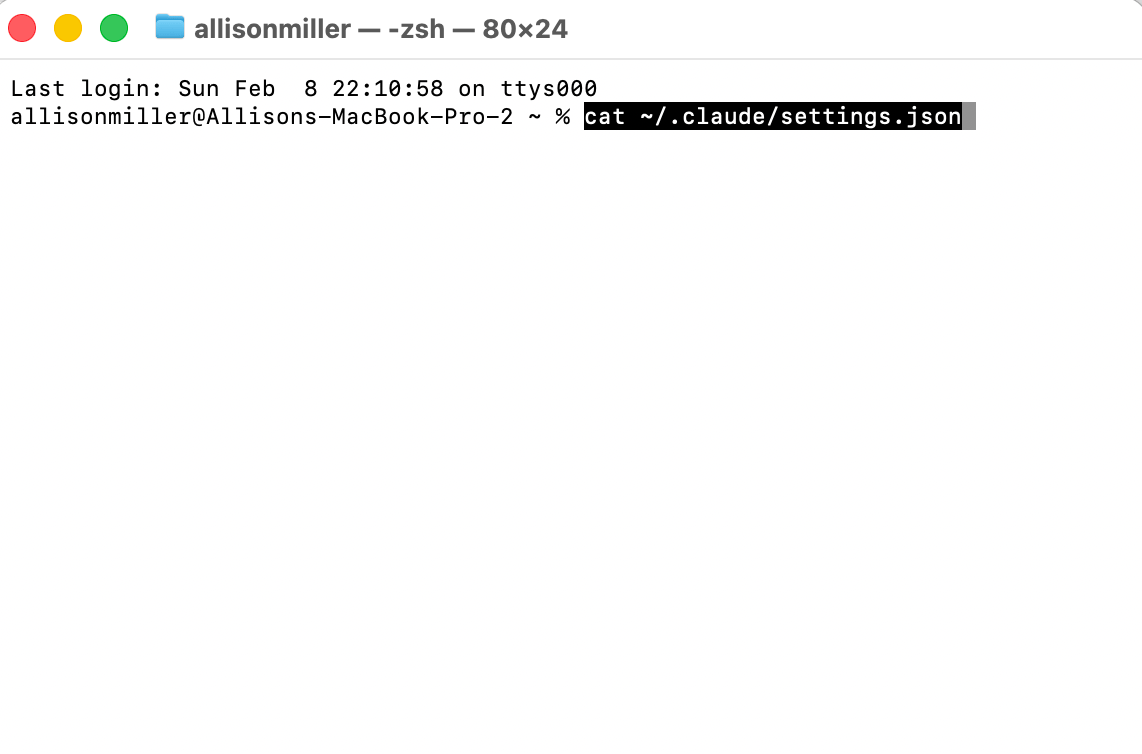
If you see "No such file or directory" - you're fine, go ahead with step 3 below.
If you see existing settings (stuff inside { } curly braces), you'll need to add the agent teams setting manually. In that case, do this instead:
Copy and paste this into your terminal and hit enter to open that settings file in a text editor so you can edit it:
open ~/.claude/settings.json
If that doesn’t work - it’s usually because you haven’t specified what app you want to open. If that’s the case, try:
open -a TextEdit ~/.claude/settings.json
Note: the -a is just selecting an app and the app name is TextEdit. This is a safe command that just opens a file.
Find the opening { at the top of the file
Make sure there is an "env" section that includes
"CLAUDE_CODE_EXPERIMENTAL_AGENT_TEAMS": "1"
For example, your file should look something like:
    {

    "env": {

      "CLAUDE_CODE_EXPERIMENTAL_AGENT_TEAMS": "1"

    }

  }
If there are other settings already in the file (aka text is already there), just add the "env" block alongside them (with a comma separating it from other settings).

Save the file and close the editor.
If you get confused at any stage, screenshot this newsletter, drop it into Claude Code conversation and just type ‘wtf? explain’ and Claude will come to the rescue.
Step 3: Create the settings file (if it doesn't exist yet)
If Step 2 above gave you the ‘no such file or directory’ message, you’ll need to copy and paste this line into your terminal after the % or $ symbol and hit the enter button (aka ‘run this command’):
mkdir -p ~/.claude && echo

  '{"env":{"CLAUDE_CODE_EXPERIMENTAL_AGENT_TEAMS":"1"}}' >

  ~/.claude/settings.json
Allie’s easy explanation: It will create a settings file (mkdir = make directory aka make this thing) for Claude Code, it manages folder creation/possible errors, makes sure that works, and puts the "turn on agent teams" setting (the all caps line with the ‘1’) inside it.
Step 4: Restart Claude Code
Close Claude Code completely and reopen it. Usually I just start a new terminal and it works. The agent teams feature is now enabled.
Step 5: Use it, honey!
Once you’re in Claude Code, just describe a task and ask it to create an agent team.
For example, type out something like:
"Create an agent team to review <project name> from different angles: one teammate focused on code quality, one on security, and one on performance."
or
“Create an agent team to stress-test my Q1 enterprise growth strategy. I want one teammate acting as a skeptical CFO/accountant poking holes in the financial assumptions, one as a competitor analyst who identifies how our top 3 rivals would counter each move, one as an angry exec who finds every reason this makes their life worse, and one as an operations lead flagging what would actually break if we tried to execute this. Have them read 2026-q1-strategy.md in the AI Allie growth folder and then debate each other. The team lead should synthesize their critiques into a single brutal-but-very-constructive memo with action items (must include tradeoffs for each) in priority order at the bottom. The team lead should prompt me at the end ‘want me to do all this for you, captain?’ and wait for a yes/no reply.”

Agent Team prompt example
Extra Tips for Claude Agent Teams
Number of agents. In the above example, I specified the 4 agents and their roles. I didn’t have to. You can ask Claude to decide what’s best and it will pick the number and roles.
Planning mode. For high risk use cases, don’t let these agents run amok. We’ve talked about planning mode before. Just type something like “I need to provide plan approval before these agents make any changes” to enable planning mode.
Slide into agent DMs. OK, that’s not technically what it’s called (we should start the movement!) but Claude lets you message each of the agents on their own. Use Shift+Up/Down to select any one of your agent teammates and message them directly.
Shut down an agent. If you no longer need an agent or they’re looping and you want them to stop, just type ‘Ask the <name the agent, like “debugger”> teammate to shut down.’ Anthropic talks a lot about model welfare and used the word ‘gracefully’ twice in their documentation for this action. That was a very intentional word choice.
Team lead should clean up. At the end of your push, ask the lead (only the lead) to please ‘Clean up the team’. This spins down the shared resources between agents.
The new AI agent interface
If you follow me on Instagram, you might have seen my story about playing D&D for the first time. That wasn’t a coincidence. I’m trying to learn more multi-player games and effective interaction modes for the new agent era. Shoutout to Conor W at Fortress Sydney for the most theatrical, over-the-top, and challenging D&D experience.
We are experiencing a user interface revolution.
OpenAI is leading the charge here, followed by Google, and then Anthropic, among the three leaders. But none are that impressive to me at the moment. I’m much more giddy when I see individuals sharing their own creations, many of which look like 8-bit video games. Throwback to all my Chip’s Challenges fans out there.

Important things to keep in mind
This is experimental. As is the case with many of these agent platforms, expect bugs, misunderstandings from the LLM, and friction. Non-engineers can set this up quickly, but you’ll want to keep an eye on the agents. Things might be a little rough around the edges. You should always test on low risk tasks to start.
It uses a lot more tokens (i.e. it costs more) because each teammate is its own separate Claude session. I personally don’t think it’s possible to meaningfully use Agent Teams without being on a Max plan. And even then, you might want to switch to the API to ‘spend’ more tokens. This can quickly add up to hundreds of dollars a day if you’re not watching carefully.
Best for tasks that can be split up but need to share context. Think of tasks like reviewing code from multiple angles, investigating a bug with different theories, building separate parts of a feature at the same time, or building out a big GTM plan with different ownership areas.
Not great for simple tasks. Don’t ask a Michelin chef to make you toast aka don’t waste tokens unnecessarily. if one person/agent could do it easily, an Agent Team adds unnecessary overhead.
HIRING: Growth Marketer

I’m hiring a Growth Marketer to own email and funnels for a 2M+ audience in AI advising and education. If you live for tests, journeys, conversion, we want to hear from you.
You'd be a great fit if you:
✔ Have 3+ years of email marketing experience
✔ Understand funnel optimization, segmentation psychology, and conversion strategy
✔ Can write campaigns that sound like the brand, not like a template
✔ Think in customer journeys and revenue attribution
✔ Use AI to do better work
Bonus points for experience with Beehiiv, GoHighLevel, Make, and familiarity with thought leader marketing. Applications are reviewed on a rolling basis. Earlier is better. Fully remote.
Feedback is a Gift
I would love to know what you thought of this newsletter and any feedback you have for me. Do you have a favorite part? Wish I would change something? Felt confused? Please reply and share your thoughts or just take the poll below so I can continue to improve and deliver value for you all.
What did you think of this month's newsletter? |
Learn more AI through Allie’s socials